
Author: duponam
 On December 10, 2025, the Committee on Culture and Education (CULT) of the European Parliament invited EAS to participate in the key stakeholder consultation in preparation of the 2028-2034 ERASMUS+ programme. Mr. Bogdan Zdrojewski, Member of European Parliament, CULT Vice-President, and Rapporteur, welcomed the participants followed by the contributions of Mr. Vassos Koutsioundas, Chair of the Council Working Party on Sport of the Cyprus Presidency in 2026; Mr. Giorgio Guazzugli-Marini, Head of Unit for Sport, European Commission; and Mr. Stanislas Frossard, EPAS Secretary General, Council of Europe.
The short presentations by some Members of the Parliament and by representatives of the invited stakeholder organisations offered views to further develop the ERASMUS+Sport programme, stressing the need to ensure long-term funding to the ERASMUS+ programme for the sport and physical activity sector. In relation to dual career, the EAS President, Laura Capranica, recognized the crucial position of maintaining dual career among the priorities of the ERASMUS+Sport programme for further promoting a progressive improvement of dual career culture in the Member States. She envisaged the establishment of a European dual career observatory for the collection of harmonized data to monitor the actual dual career situation and to further progress in the full recognition of the right to combine sport and academic education for all the student populations; to support the professional figure of dual career tutor; and to promote the adoption of dual career policies and provisions for the employee-sportspersons in the labour sector.
On the second day, December 11, the EAS President attended the 2026 ERASMUS+Sport Info Day organized by the European Education and Culture Executive Agency (EACEA), in cooperation with the Sport Unit of the Directorate-General for Education, Youth, Sport and Culture (DG EAC). This yearly event is crucial to share information on the funding opportunities for collaborative partnerships and capacity building project proposals according to the 2026 ERASMUS+ Programme Guide (https://erasmus-plus.ec.europa.eu/erasmus-programme-guide), as well as to provide network opportunities between potential partners.
After opening the event, Mrs. Sophie Beernaerts, EACEA Director, moderated the high-level round table on the future ERASMUS+ programme with the contribution of Mr. Glenn Micallef, European Commissioner for Intergenerational Fairness, Youth, Culture and Sport; Mr. Bogdan Andrzej Zdrojewski, Member of the European Parliament; and Mr. Vassos Koutsioundas from the Cyprus Sport Organisation.
Two plenary sessions addressed the policy priorities and novelties of the 2026 call for projects, respectively. In particular, Mr. Giorgio Guazzugli-Marini, Head of Sport Unit at DG EAC, Mr. Peter Fischer, Mrs. Paola Ottonello and Mr. Stefano Pintus from the Sport Unit illustrated the sport priorities focused primarily on health, innovation, and green environment, whereas Mr. Theo Duivenvoorde, Head of Erasmus Mundus & Sport Unit at EACEA, Mrs. Gael Broze, Mrs. Helena Kamencikova, and Mrs. Izabela Pelczynska provided advice for preparing original proposals and successful partnerships.
Three parallel sessions were organized to address mobility opportunities for sport staff available at National Agencies; application templates, lump sum funding mechanisms and selection processes for successful projects; and the Capacity Building action and its characteristics, respectively.
During the last plenary session, Mr. Giorgio Guazzugli Marini, Mrs. Sacha Beck, Mr. Mads Lyngso Schou from the Sport Unit reported the preliminary results from the Public Consultation to shape the future of sports in Europe “A Strategic Vision for Sport in Europe: Reinforcing the European Sport Model”
Mr. Georg Hausler, Director for Culture, Creativity and Sport, at DG EAC summarized the main aspects of the day and provided the closing remarks. In the next days, presentations will be available at https://www.eacea.ec.europa.eu/news-events/events/info-session-erasmus-sport-2026-2025-12-11_en.
On the third day, December 12, EACEA, Mr. Giorgio Guazzugli Marini, Head of the Sport Unit at the European Commission, welcomed the representatives of National Coordinating Bodies, and official partners of the #BeActive campaign (including EAS) participating in the Debrief Seminar. The event aimed to stimulate ideas for future editions based on the reflection on the 10th celebration of the European Week of Sport (EWoS).
Mrs. Violeta Birzniece reported that 15,107,722 participants joined the 79,420 #BeActive events across 39 European countries, highlighting a positive trend with respect to the previous EWoS editions. Mrs. Paola Ottonello reported that Instagram resulted one of the most active social media for sharing content of the events. She also anticipated the plans for 2026 and 2027, with the launch of the #BeActive Winter (February 1-7, 2027) to be officially announced during the Milano Cortina 2026 Olympic Winter Games. Mr. Miguel Romero presented key objectives, priorities, deadlines, submission arrangements, eligibility criteria of the 2026-2027 call, and reminded the participants of the concept of #BeActive Night to be held next September the 26-27, 2026 across Europe. Finally, Mr. Peter Fischer launched an interactive Q&A session to foresee possible opportunities and improvements.
Furthermore, Cypriot and Irish National good practices of the “Move more – Scroll less” 2025 campaign offered insights into successful national-level practices, whereas the first experiences of the new EWoS partners called for strengthening cross-sector collaboration.
Finally, based on the 2025 experience, participants shared their opinions for the implementation of the 2026 EWoS during a group work session. For further information on EWoS and the #BeActive campaign is available at sport.ec.europa.eu/european-week-of-sport
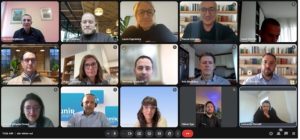
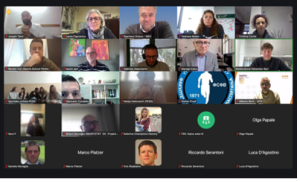
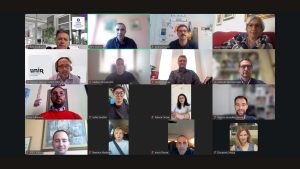
On December 5, 2025, the FIND ME Team met online to discuss the advancement of the project. Funded by the ERASMUS+Sport programme (101134043), the three-year FIND ME project primarily aims to structure an evidence-based European platform specifically tailored for dual career at university level.

During the first two years, the FIND ME Team published scientific evidence on the needs and expectations of sportspersons (athletes, coaches, physical trainers, referees, sports managers, volunteers) as university students and on the implementation of dual career at European higher education institutions according to the student-athletes’ and experts’ views.
After having collected the contact persons of European universities, starting from January 2026 the FIND ME coordinator will send them a FIND ME invitation letter asking to provide relevant data to populate the FIND ME platform for helping student-athletes finding the most suitable study programmes for their dual careers. Stay tuned.
The FIND-ME: University Dual Career Opportunities project [ERASMUS+Sport, 101134043) is funded by the European Union. Views and opinions expressed are however those of the author(s) only and do not necessarily reflect those of the European Union or the European Education and Culture Executive Agency (EACEA). Neither the European Union nor EACEA can be held responsible for them.

On November 24, 2025, the 19th EAS Cafè was organized to discuss the relevance of soft skills for the employability of athletes at the end of their sport career and to raise the awareness of the educational platform for young athletes (https://SS4DC.eu) now available thank to the collaborative efforts of the ERASMUS+Sport SmartStart4DC consortium (101133555).
Prof. Cristina Cortis (University of Cassino and Lazio Meridionale, Italy) welcomed around 100 participants and moderated the interesting questions addressed at the endo of the speakers’ presentations.
The Cafè was opened by Mrs. Vedrana Malec who illustrated how her outstanding athletic cross-country skiing helped her improving different soft skills, which are extremely useful for her professional careers, followed by Mr. Sebastian Harry Lloy Algie, who highlighted how soft skills helped him as a basketball athlete in different contexts and a student in physiotherapy, and by Mr. Joseph Tanti who shared his experience as an elite handball athlete in countries with different sport cultures and as a coach of youth teams in Malta. These testimonies stimulated a participated discussion on the important role of soft skills, which are usually lacking in formal educational paths.
To enhance the student-athlete knowledge, competences, and skills, Mr. Renato Vuk, coordinator of the Smart Start for DC, illustrated the SS4DC platform encompassing educational material organized in 10 modules regarding Communication Skills, Social interaction skills, Emotional Intelligence, Listening skills, Leadership, Team-work and Collaboration, Time Management, Desire for Continuous Learning, Critical Thinking, and Respect for Diversity. Whilst the educational course for athletes encompasses videos, text lessons, reflections, and self-assessment tests for each module, the section dedicated to the educators presents manuals and presentations in several languages (e.g., English, Bulgarian, Croatian, Greek, Italian, and Turkish). Furthermore, the platform offers self-assessments for career guidance in sports, labour market, continuing education, and transferable skills. Finally, Mr. Vuk invited the participants to follow the social media of the SS4DC project.
A special thank to mr. Marco Pinchera who translated the speeches in visual-gestural language for the deaf community.
Soft skills are considered crucial for the employability of athletes at the end of their sport career, and the key aim of the ERASMUS+Sport SmartStart4DC project (101133555; https://SS4DC.eu)
On behalf of the EAS Executive Committee, we inform you that the 19th EAS Virtual Cafè on “XXI century skills as a bridge between sport and employability” will be held on Monday November 24, 2025 (from 13:00 CET) zoom meeting: https://uni-lj-si.zoom.us/j/99306210428
13:10 Welcome – Prof. Cristina Cortis, PhD
Cristina Cortis, PhD, is Rector Delegate for Sport and Health at the University of Cassino and Lazio Meridionale, Italy. Her research interests span from determinants of sport performances to dual career of athletes.
13:10 What Sport Has Taught Me About Succeeding in Business and Life – Mrs. Vedrana Malec
Vedrana Malec, Master’s Degree in Journalism, is a three-time Olympian in cross-country skiing. Currently, a project manager in the sports event industry, and a dual career ambassador of the Croatian Olympic Committee. She believes that dedication, discipline, and teamwork are the foundation of personal growth, professional development, and the achievement of long-term goals.
13:20 Dual Careers in the 21st Century: Building a Successful Path Beyond Sport – Mr. Sebastian Harry Lloy Algie
Sebastian Harry Lloy Algie, Bachelor Degree in Physiotherapy, is a former basketball player born in Canada who moved to Italy with his family and started playing basketball till two years ago.
13:30 Pursuing Excellence in Life through Sports – Mr. Joseph Tanti
Joseph Tanti, Master’s in Science of Sports Coaching, is a teacher of Physical Education, a handball coach, and Sports Promotion teacher in Malta. He spent three years at the Aarhus Sports Academy in Denmark where he coached a women’s handball team.
13:40 Smart start for DC – the Dual Career Journey Starts Here – Mr. Renato Vuk
Renato Vuk, Bachelor Degree in Media Management, is the Head of the Project Management Office at Sports School PESG, where he aims to provide young student-athletes with high access to additional growth opportunities and support in pursuing their dual careers, as through the European SS4DC educational platform.
13:50 General discussions and concluding remarks

Within the opening ceremony of the Italian Society of Movement and Sports Sciences (SISMeS), a dual career symposium on the Italian and European dual career was organized. SISMeS is a partner of EAS and its 2025 conference attracted more than 370 participants, represents the most important event of the sport sciences, addressing research topics spanning from education, health, performance, and public engagement.

Moderated by Prof. Attilio Parisi (SISMeS President), Prof. Giuliana Gobbi (Conference Chair) and Angela Di Baldassarre (SISMeS Past-President), Laura Capranica (EAS President) presented the EU-funded projects and their outcomes targeting athletes (e.g., SmartStart for DC, Springboards, EdMedia, ELCAMP), teachers/tutors (e.g., Talent, Starting11, Estport, DC Mentor, COMPATH), parents (e.g., EMPATIA), universities (e.g., DiscoverU, More Than Gold, FIND ME), and companies (BRAVA DC) available at the European Commission Platform of ERASMUS+ projects (https://erasmus-plus.ec.europa.eu/projects). Germano Guerra (President of UniSport Italia and University of Perugia Rector’s Delegate for Sport) illustrated the advancement of Italian DC at university level and the role of the UniSPortItalia Network. Giuliana Gobbi (University of Parma Rector’s Delegate for Sport) described the DC programme at the University of Parma and the collaboration with high schools and the University Sport Association, and Eseos Fostine Desalu (Olympic Gold Medallist Tokyo 2020) provided an inspirational speech for athletes.
Olga Papale, winner of the 2025 Bengt Nybelyus Scholarship, received the Special Mention of the Young Researcher Award for her oral presentation,
Dear friends of Dual Career,
As anticipated during the EAS Conference in Riga last October, we inform you that the 19th EAS Virtual Cafè on “XXI century skills as a bridge between sport and employability” will be held on Monday November 24, 2025 (from 13:00 CET).
We invite you to visit the official website of the ERASMUS-Sport Smart Start 4 DC project (https://SS4DC.eu) where you can explore the Educator Manuals of Communication Skills, Social Interaction, Emotional Intelligence, Listening Skills, Leaderships Skills, Teamwork&Collaboration, Desire for Continuous Learning and Application of Knowledge, Critical Thinking, and Respect for Diversity
In the next days, you can have further information and the link to the Cafè at www.dualcareer.eu.
Together with the meeting of the ERASMUS+Sport Collaborative Partnership AthleteConnect (ACON), on October 29 and 30, 2025 the University Sports Association of Poland (AZS) celebrated in Warsaw (Poland) the Polish governmental programme of dual career with an event encompassing the Annual University Sport Congress, an international Conference on Dual Career, and a Gala to honour the major achievements of the Polish University Sport.
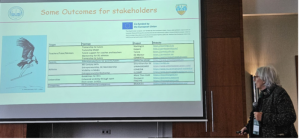
During the international Conference the EAS President, Laura Capranica, provided an overview of the European dual career, including the opportunities offered by deliverables of some European Collaborative Partnerships for athletes (e.g., SmartStart for DC, Springboards, EdMedia, ELCAMP), teachers/tutors (e.g., Talent, Starting11, Estport, DC Mentor, COMPATH), parents (e.g., EMPATIA), universities (e.g., DiscoverU, More Than Gold, FIND ME), and companies (BRAVA DC) available at the European Commission Platform of ERASMUS+ projects (https://erasmus-plus.ec.europa.eu/projects).
Andrej Pisl illustrated the mission, activities, events and projects of the European University Sports Association (EUSA), highlighting the role of dual career to enhance the university impact and visibility through the ongoing ERASMUS+Sport Collaborative Partnership Discovering University Sport and Dual Career (DiscoverU).
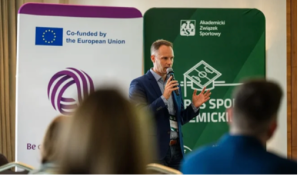
Spartaco Grieco presented the activities of the sports club APS ASD Margherita Sport e Vita (Italy), which is involved in several European projects focused on the dual career support of youth athletes, including Smart Start for DC.
Johanna Perrier explained the vision, activities, programmes of the French Sport Foundation with special focus on the creation of a support community for talented athletes, including a dedicated platform for individuals and businesses to engage in tax-deductible donations to support the specific needs of youth athletes.
Finally, Kristiana Kazandzhieva from the Bulgarian Olympic Committee provided an overview of the ACON project on dual career and its main outcomes.
Moderated by Krzysztof Sedzicki, medallists at the 2025 Summer University Games Maksymilian Szwed (track and field-gold), Przemysław Konecki (compound archery-bronze), Szymon Piatkowski (taekwondo-silver) and Aleksandra Leszczynska from AZS Lodz and Karol Bar from AZS AWF Katowice participated in a panel discussion and provided their personal experiences, the past and actual challenges, and vision of future transitions.
Aleksandra Leszczynska (AZS Lodz) moderated the last panel session with Rector Alojzy Z. Nowak, (University of Warsaw and President of the Academic Sports Association), Piotr Borys (Ministry of Sport and Tourism), Rector Bartosz Molik (University of Physical Education, Warsaw), Prof. Adam Zając (Vice-Rector for Sport at the University of Physical Education, Katowice) who discussed the relationships between national and local governments, and university sport bodies.
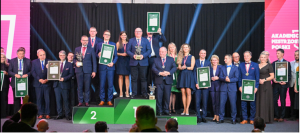
After the conference, a special Gala celebrated the major achievements and successes in the field of university sport in Poland, from the athletes to the university sport organizations and the universities.
Ledger Live iOS Setup: Installation Routes Compared, from Store to Lookalike
Ledger Live iOS Setup and Security Guide: install the client only from the App Store listing that the vendor’s own site links to, pair it over Bluetooth with a Nano X, Stax or Flex, confirm every destination address on the device screen, then keep the 24-word recovery phrase off the phone entirely. Nothing else on this page matters as much as those four habits, because the handset is the least trusted link in the chain. What follows covers how the wireless link carries data, which installation routes exist, where each one fails, a five-step authenticity check, plus the details that move with every release.
How the iPhone client talks to a hardware signer
The mobile client stores no private keys. It assembles a transaction, encodes it, pushes it across an encrypted Bluetooth or USB link, and waits for a signature. The hardware signer decodes the payload, displays the destination and amount on its own screen, and signs only after a physical button press.
A companion client, in this context, is any program that reads public addresses and builds unsigned transactions while holding none of the material needed to sign them. The signer is the only component that holds that material, which is why every confirmation that matters happens on its screen rather than the handset’s.
Private keys never leave the secure element
A secure element is a tamper-resistant chip that stores the seed and performs the elliptic-curve signing operation internally. The phone receives the resulting signature, never the key. That split explains why a compromised handset can drain nothing on its own: an attacker who controls the operating system can alter the address it displays, but the signed payload still has to be approved on the device screen. The trade-off is a slower confirmation flow, one button press per transaction, which is the price of keeping the seed isolated.
Wireless pairing is limited to certain hardware revisions
A Bluetooth radio exists only on the Nano X, Stax and Flex lines; the Nano S and Nano S Plus are wired-only, so they cannot pair with a phone at all. Owners of those two models must run the desktop client on a computer. Firmware channel, model revision and application release all gate the pairing screen, so a missing device option usually means the model lacks the radio rather than that the software is broken. Current support lists are published on the vendor’s official application page.
What the encrypted link does not prove
Pairing establishes an encrypted channel and a shared six-digit code, which stops a nearby device from impersonating the signer during that session. It says nothing about whether the address rendered on the handset matches the address inside the payload. Malware on the phone can swap a clipboard address or redraw a screen. The only check that survives that attack is reading the destination and amount on the signer’s own display before approving. Treat the handset screen as a convenience view, not as evidence.
Who should run the mobile client, and when is the desktop build a better fit?
The mobile build fits anyone who signs while travelling, at a till, or away from a desk, provided the signer has a Bluetooth radio. The desktop build fits wired-only models, large batch operations, and users who prefer a keyboard for entering addresses. Neither build changes what the signer approves.
Signing away from a desk
Portable signing covers the case where a holder needs to move funds during a trip, accept payment at a market stall, or approve a transaction while the computer is elsewhere. The handset supplies the network connection and the interface; the signer supplies the approval. Because the transaction is built on a device that may run modified software, the device-screen check matters more here than on a desktop, not less. Bluetooth range and battery state are the practical limits.
Holders running several accounts at once
The mobile client can track multiple accounts across several chains and shows balances read from public explorers or the vendor’s indexers. It cannot sign for a wired-only signer, and it cannot perform operations that need a full node, such as some staking or contract interactions. Accounts remain on-chain objects; deleting the application removes the local view, not the funds, and restoring that view requires the signer to be present.
Shared, managed, or borrowed computers
On a machine that an employer administers, endpoint agents can capture keystrokes, screenshots and clipboard contents. The signer still protects the keys, but address substitution and clipboard hijacking become realistic. The mobile build does not remove that class of risk; it moves it to a handset that may carry fewer monitoring agents. Where neither device is trusted, the signer’s screen remains the single reliable display.
Installation routes compared: store build, desktop build, third-party wallet, lookalike
The App Store build suits phone-first signing on Bluetooth-capable models. The desktop build is the only route for wired-only signers. Third-party wallets let the same signer serve chains the companion client does not list, at the cost of a second interface. A lookalike from a search result or an advertisement is never a route; it exists to collect recovery phrases.
Four routes put a transaction in front of the same signer. They differ in which models they accept, what the interface can see, and how a user can tell an authentic build from a copy. The criteria below are model support, main limit, and the check that catches a fake.
| Route | Best for | Main limit | Authenticity check |
|---|---|---|---|
| Store build from the vendor’s link | phone-first signing on wireless models | needs a Bluetooth-capable signer | listing reached from the official site |
| Desktop client | wired-only signers, batch entry | tied to one computer | installer signature published on the official source |
| Third-party wallet paired to the signer | chains the companion client omits | second interface, its own backup duties | read the request on the device screen |
| Browser-extension wallet | desktop contract work | exposes the browser session | device screen shows the final payload |
| Lookalike from search or ads | nothing; it is a collection channel | harvests the recovery phrase | none; treat it as hostile |
Each route fits a situation and fails outside it. The store build fails on a Nano S or Nano S Plus because there is no radio to pair. The desktop client fails for a holder who travels without a laptop. A third-party wallet fits when the chain is not listed in the companion client, and fails when its own interface lags behind the signer’s firmware. Exceptions cluster around hybrid setups: a user may keep the desktop client for firmware work and the phone for daily approvals.
Why a store listing is not proof of authenticity
App review checks that a submission follows platform rules; it does not confirm that the publisher is the company that built the signer. Clones have appeared under near-identical names and icons. The check that works is the path: open the vendor’s own site, follow its link to the listing, then compare the developer name and the version number with the release notes. If the listing cannot be reached that way, treat the build as unverified regardless of its download count or ratings.
What a third-party wallet sees and what it never sees
An alternative wallet reads addresses and balances through its own node or an indexer it chooses, so the provider learns which accounts a user tracks. It builds transactions and hands them to the signer, then relays the signature. It never receives the seed, because the signing operation happens inside the secure element. The consequence is a split trust model: the interface can mislead, the signer cannot be forced to approve, and the device screen stays the deciding view.
Where installations and pairings fail: risks, limits, mistakes
The failures that cost money are few and predictable. A recovery phrase typed into anything digital is exposed permanently. A wireless firmware update interrupted mid-write can leave the signer in a bootloader state. Impersonated support staff asking for the phrase in chat are the most common social route to a drained account.
A recovery phrase typed anywhere is exposed permanently
Twenty-four words, once entered into a website, a chat window, a photograph or a password manager, exist outside the signer for good. An attacker holding those words restores the same accounts on any compatible device and signs without the original hardware, and no vendor, exchange or support agent can reverse the transfer. The rule is mechanical: the words are written on paper or metal at initialization and read only by the signer itself. Any prompt that asks for them is hostile by definition.
Interrupted wireless updates and battery state
A firmware write is a single uninterrupted operation. If the Bluetooth link drops or the signer’s battery dies mid-write, the device can restart into a bootloader screen that no phone can recover. Updates over a cable, with the signer charged and the client closed to other sessions, avoid the failure. A signer stuck in that state may need vendor-assisted recovery; whether a given model can be recovered this way is published on the official source.
Impersonated support and phishing pages
Search advertisements, direct messages and cloned help sites all copy the vendor’s branding and ask for the twenty-four words under the pretext of a sync, migration or validation. No legitimate process needs them, on any device, at any time. The check is structural: support never initiates contact, and the only place a phrase is ever read is the signer’s own screen during a restore. Treat an unsolicited link as a hostile artifact rather than a convenience.
How do you confirm an iPhone install is genuine before pairing?
The procedure verifies that the application on the handset came from the company that built the signer, before any account data or device pairing is involved. Have ready: the signer itself, its screen, a browser, and the vendor’s official site open on a second device or tab.
Step 1: Open the vendor’s own site and follow its link to the app listing
Open the vendor’s own site and follow its link to the application listing. A search result or a sponsored placement can point at a copy that carries the same name and icon, and the path from the official domain is the only one that closes that gap.
Step 2: Compare the developer name on the listing with the company that made your signer
Compare the developer name on the listing with the company that made your signer. Publishers can register similar names, so a match is a filter rather than a guarantee, while a mismatch is a reason to stop immediately.
Step 3: Check the listed version against the release notes on the official site
Check the listed version against the release notes on the official site. A build that lags many releases behind, or that has no matching notes, is more likely an abandoned clone than a current product.
Step 4: Install the build and review the permissions it requests
Install the build and review the permissions it requests before connecting anything. A genuine build asks for Bluetooth, network access and, at most, camera access for QR scanning; requests for contacts, messages or accessibility control do not belong in this class of tool.
Step 5: Pair the signer and confirm the code on both screens
Pair the signer and confirm that the code displayed on the handset matches the code on the signer’s screen. That comparison binds the two radios for the session; afterwards, every destination address is read on the signer’s display before approval, because the handset view can be altered.
Release drift: model support, regional availability, and services that change terms
Three things move after publication: which hardware revisions carry a wireless radio, which regional storefronts carry the application, and what optional recovery services cost or cover. None of them can be inferred from an older article. Each is published on the official source and should be re-checked before a purchase or a restore.
Model support and firmware channels shift with each release
New signer revisions arrive with different radios, screens and firmware channels, and older models are eventually dropped from active development. A support matrix that was accurate a year ago may list a model that no longer pairs, or omit one that does. The practical consequence is that a buyer should confirm the current compatibility list before paying, and a holder should confirm it before assuming a pairing failure is a software bug.
Regional storefronts and optional recovery subscriptions
Storefront availability differs by country, and an application listed in one region may be absent or restricted in another. Optional recovery subscriptions that store encrypted shares of the seed with identity verification also vary by jurisdiction, and their terms, coverage and pricing change. Whether a given subscription applies to a given model, and what it costs, is published on the official source rather than fixed here. Read the terms before enrolling, because enrolment changes who can help recover an account.
How to Install Ledger Live on iPhone from the App Store needs three things before you tap anything: a signed-in Apple ID, a handset running a supported version of Apple’s mobile operating system, plus free space for a small client. The download is the easy part. What decides whether your holdings stay put is the developer field on the listing, the code shown on the hardware screen during pairing, plus the version string you keep after every update.
How the Handset Client Talks to the Hardware Unit
The phone build is a screen, not a vault. It reads public balances, assembles unsigned transactions, passes them to the hardware unit for approval, then broadcasts whatever returns signed. Your recovery words stay inside the signing device throughout, so a lost handset exposes cached addresses rather than the keys behind them.
Keys Remain Inside the Signing Device
A phrase generated on the hardware unit never travels to the handset, which is why a phone can be replaced without moving holdings. The client requests public addresses only; each address is derived from the seed stored inside a dedicated chip built to resist extraction. Pairing authorises a conversation, not a copy. Removing the app therefore deletes a viewer, while the seed survives in the device until you deliberately restore it elsewhere.
What the Phone Keeps After Installation
The handset stores account labels, cached balances, one pairing record per hardware unit, plus your display preferences. None of that is needed to recover anything, so wiping the app costs convenience rather than access. The pairing record matters most: it holds the identifier the device expects, which is why a reinstall usually asks you to confirm the link on the hardware unit again. Balances refresh while the app is open, since the client queries public nodes on demand instead of holding a copy of any chain.
Why the Device Screen Outranks the Phone Screen
An address rendered on a phone can be swapped by malware before you copy it; the hardware display is the reference point. The client therefore asks you to compare the receiving address on the device against the one shown on the handset before approving. Treat any mismatch as a stop signal rather than a glitch. That comparison is the step which makes a compromised handset survivable.
Who Gets Value From the Phone Build, When It Applies, When It Does Not
Install it if you already own the signing device, check balances more often than once a month, or want approvals away from a desk. It adds little for someone holding one long-term position who rarely signs, or for anyone who has not yet bought the hardware unit, since the client does nothing without one.
Frequent Checkers With a Paired Device
Someone who moves assets weekly notices the difference at once: pending confirmations, fee estimates, plus a history view appear without opening a laptop. The pairing survives restarts, so a quick approval takes under a minute. The trade-off is exposure, because a phone travels, gets unlocked in public, sits on shared chargers. Keep the app behind a device passcode plus a biometric lock, both of which the client offers in its own settings.
Long-Term Holders Who Rarely Sign
For a position touched twice a year, the mobile client largely duplicates the desktop build. Installing it costs nothing, yet every extra viewing surface is another place where a phishing link can be tapped. If you sign rarely, keep the phone build installed but unpaired, or skip it, then move the occasional transfer to a machine you control. Convenience is the only loss.
People Who Do Not Own the Signing Device Yet
The application cannot create a hardware-backed seed, so installing it before the physical unit arrives leaves a viewer with nothing to view. A listing promising phrase generation inside the phone app is either a different product or an impostor. Obtain the device from the vendor’s own store first, then install the client. Sequencing this way also means your first pairing happens while you are paying full attention.
Distribution Channels Compared: Store Listing, Desktop Build, Clones
The store listing is the one channel that updates through Apple’s review pipeline; the desktop build updates through the vendor’s own installer, while clones never update honestly at all. Which fits depends on where you sign: a phone-first user wants the store build, a desk-bound user wants the desktop client, nobody wants a clone.
The table compares four channels by what arrives, the main limit each imposes, plus the route for confirming authenticity on the vendor’s official download page. Those criteria decide whether an update can quietly change behaviour: delivery path, developer identity, version transparency, hardware pairing support.
| Channel | What arrives | Main limit | Verification route |
|---|---|---|---|
| Apple store release | Signed build delivered through the platform’s review pipeline | Needs a handset on a supported system version | Developer field matches the vendor’s download page |
| Google Play build | Same client compiled for Android handsets | Different platform, separate pairing prompts | Same developer check inside that store |
| Desktop installer | Full client for macOS, Windows, Linux | A computer is needed for each signing session | Published hash beside the download |
| Look-alike listing | Unknown binary carrying a similar icon | No vendor support, no seed protection | Absent from the vendor’s download page |
Reach for the store release when the phone is your main signing surface plus you want updates handled for you. The desktop installer suits anyone keeping a dedicated machine, since a published hash can be checked before launch. Neither fits a shared or borrowed handset, where someone else can install a clone without your knowledge. Where a device is old enough to fall outside supported versions, the vendor’s page states the minimum, plus anything absent from it stays unverified.
Why Update Delivery Changes the Risk
An update replaces the code you already trusted, so the delivery path matters more than the first install. Store builds arrive signed by a developer identity the platform verified, so a third party cannot push one. A desktop installer depends on you checking a published hash before running it. A clone updates whenever its operator chooses, often adding a screen that asks for your recovery words. That request alone identifies it, because the genuine client never needs those words.
The Naming Trap in Look-Alike Listings
Clones rarely copy the vendor’s name exactly; they add a suffix, swap a letter, or lean on a word that reads as official. The reliable test is the developer field on the listing, compared against the download page the vendor publishes. A second test is the permission list: an app requesting contact access or message reading has no reason to exist in this category. Report such a listing instead of rating it, since removal protects the next person.
Failure Points: Clones, Stale Builds, Misread Prompts
Most bad outcomes trace to three causes: a listing that was never the vendor’s, a build too old to pair with newer firmware, or a prompt approved without reading the address on the hardware screen. Each has a cheap check. None of them involves recovery words, which no genuine prompt requests.
Pairing Failures From Version Mismatch
The handset client plus the device firmware negotiate a protocol at pairing time; when one side sits several releases behind, the link drops after the code comparison. The fix is unglamorous: refresh the firmware through the desktop client, update the phone app from the store, then pair again. Wireless interference explains a smaller share of failures, so step away from crowded airwaves before assuming a version problem. Support pages list the combinations the vendor tests.
Blind Approval of Transaction Prompts
A prompt approved without reading is a signature handed over. Malware on a handset can rewrite the recipient address in the app’s display, which is why the hardware screen is the only trustworthy source. Slow down on two fields: destination address plus amount. If the screens disagree, reject on the device, then reinstall from the store listing. A broadcast transaction cannot be recalled, so no support desk can reverse it.
Treating a Phrase Request as Routine
No genuine installation, update, or pairing flow asks for your recovery words. A screen requesting them, however official it looks, is harvesting. The same holds for unsolicited support messages offering to validate a wallet. Treat any such request as proof the channel is hostile, close it, then look up the real procedure on the vendor’s own site.
How Do You Confirm the Installed App Is Genuine?
Verification takes five checks plus about ten minutes, and it needs the vendor’s download page open beside the phone. You will compare the developer name, the version string, the pairing code, plus the listing’s stability after an update. Nothing in this procedure requires typing a recovery phrase.
Step 1: Open the source page, not a search result
Open the vendor’s download page directly, then follow its link to the store listing. Search results can place a paid advertisement above the genuine entry, so the vendor’s own page is the safer starting point.
Step 2: Compare the developer field
Compare the developer name on the listing against the name published on that download page. A close spelling variant is the usual tell, since exact-name impersonation is harder to keep live.
Step 3: Match the version string to release notes
Read the version string inside the app’s settings screen, then match it to the release notes on the vendor’s site. Release notes carry the numbers that matter, while blog posts often lag behind them.
Step 4: Check the pairing code on both screens
Pair the hardware unit once, then check that the code shown on both screens is identical. A mismatch means the conversation is not with your device, so cancel instead of approving.
Step 5: Re-verify after every update
Re-check the developer field after the next update lands, then note the version you are running. An update is the moment a listing can change hands, so the check costs seconds at the point of highest risk.
What Goes Stale in This Installation Over Time?
Three things move: the minimum handset operating-system version the client accepts, the firmware releases the pairing protocol tolerates, plus the hardware models the vendor still supports. Each is published on the official source rather than fixed here, because they change with every release cycle. Check them before relying on an old phone.
Minimum Handset Versions Rise With Each Major Release
Apple’s mobile operating system gains a version each autumn, plus the client usually follows within a few months. A handset stuck two or three releases behind eventually stops receiving store updates, which is when pairing errors start. The vendor’s listing states the minimum it accepts, so read that line before assuming an older phone is fine. Keeping the handset updated is cheaper than replacing a device that merely fell behind.
Firmware Compatibility Is a Moving Pair
The phone client plus the device firmware must agree on a protocol, so an app update can temporarily outpace a device that has not been refreshed. Desktop clients usually carry the firmware update path, which means a phone-only user may need a computer occasionally. Check the support pages for the combinations the vendor tests; guessing here produces dropped pairings that look like hardware faults.
Support Windows for Older Hardware Models
Hardware generations retire at different times, plus a model that still signs can lose new features first. When a device falls outside the supported list, the phone client may still connect for basic transfers while newer account types stop appearing. The vendor’s compatibility table is the only place that settles this, since resellers keep listing discontinued units. Choose against the supported list rather than the discount.
Q&A:
Can I set up Ledger Live on my iPhone with a Ledger Nano S Plus?
No. The iPhone version of Ledger Live talks to hardware wallets over Bluetooth. The Ledger Nano S Plus uses USB only, so it will not pair with an iPhone. You need a Bluetooth-capable Ledger model, such as Nano X, Stax, or Flex. If you own a Nano S Plus, use Ledger Live on a computer with a USB cable. The iOS app will not detect it.
Does Ledger Live ever ask for my 24-word recovery phrase during iOS setup?
No. During setup, Ledger Live asks you to connect your Ledger device, enter its PIN on the device, and follow the prompts shown on its screen. If you are restoring a wallet, you type the recovery phrase directly on the hardware wallet, not in the app. Ledger Live never needs your phrase. Any app, website, email, or person asking for your 24 words is trying to steal your funds. Keep the phrase offline and never type it into a phone, computer, or browser.
Which iOS security settings should I turn on after installing Ledger Live?
Use a strong iPhone passcode, enable Face ID or Touch ID for Ledger Live, and set the screen to lock right away. Turn on Stolen Device Protection if your iOS version offers it. Hide Ledger Live previews on the lock screen and in notifications. Keep iOS updated, install apps only from the App Store, and avoid jailbreaking. On the Ledger side, set a PIN, enable a passphrase if you use hidden wallets, and store the recovery phrase offline on metal or paper. Do not save the recovery phrase in Notes, Photos, iCloud, or any app on the phone.
Why won’t my Ledger device pair with Ledger Live on iPhone?
Check the basics first: Bluetooth on, Ledger powered on and you have entered its PIN, device charged, and no other phone or computer connected to it. Open Ledger Live, go to My Ledger, and follow the add-device steps. If it still fails, toggle Bluetooth off and on, remove the old Ledger entry from iOS Bluetooth settings, restart the iPhone and the Ledger, then try again. Check that Ledger Live has Bluetooth permission in iOS Settings. If your Ledger firmware is old, update it with Ledger Live on a computer over USB. Also close other wallet apps that may hold the Bluetooth connection. For Nano X, make sure Bluetooth is enabled on the device itself if your model has that setting.
What happens if I lose my iPhone with Ledger Live installed?
Your crypto does not disappear. Ledger Live is a viewing and transaction app; the private keys stay on your Ledger hardware wallet. If you lose the phone but still have the Ledger and your recovery phrase, install Ledger Live on a new iPhone, connect the Ledger, and add your accounts again. If the phone is lost or stolen, erase it remotely through iCloud, change your Apple ID password, and sign out of other devices. If your Ledger is also lost, restore your wallet from the recovery phrase onto a new Ledger device. Anyone who finds the phone may see balances if they can get past the lock screen, but they cannot move funds without the Ledger device and its PIN. Never share your recovery phrase.
Can I set up Ledger Live on iOS without a Ledger device, and what does the app need from my iPhone during pairing?
Ledger Live for iOS is a companion app. You can install it from Apple’s App Store and browse some features, but you cannot create a hardware-backed crypto account or send funds without a compatible Ledger device. On iOS, Ledger Live uses Bluetooth, so supported models include Ledger Nano X, Ledger Stax, and Ledger Flex. Ledger Nano S and Nano S Plus do not work with Ledger Live on iPhone because they lack Bluetooth and iOS does not support the needed cable connection in the app. To pair: turn on the device, enter your PIN on the device, enable Bluetooth on the device, enable Bluetooth on iPhone, open Ledger Live, choose Add device / My Ledger, select your model, and approve the pairing code on the Ledger screen. Then add accounts and install apps as needed. The app never needs your 24-word recovery phrase. If any app or website asks for it, stop and treat that as a scam. Confirm every address and transaction on the Ledger screen, not just on the iPhone.
My Ledger Nano X keeps disconnecting from Ledger Live on my iPhone. What can I try before resetting the device?
Try simple Bluetooth checks first. Charge the Nano X, enter its PIN, and open its control center by pressing both buttons. Make sure Bluetooth is On. On the iPhone, open Settings > Bluetooth and confirm the Nano X appears. Close other wallet apps and any desktop Ledger Live session that may be holding the connection. Toggle iPhone Bluetooth off and on, then reopen Ledger Live. If the app still does not see the device, go to My Ledger, remove the device entry, and pair it again. You can also reset Bluetooth pairing on the Nano X from its control center, then pair from scratch. Restart both the iPhone and the Nano X. Check that iOS and Ledger Live are updated from the App Store. If the device only fails on iOS but works with USB on a computer, use desktop Ledger Live to update firmware. If nothing works, contact Ledger Support with your device model, iOS version, Ledger Live version, and the exact error message. Never share your recovery phrase with anyone, including support.
Should I use Ledger Live on a jailbroken iPhone, and which iOS security settings matter most for crypto?
A jailbroken iPhone weakens the security model that Ledger Live depends on. The Ledger hardware wallet still keeps private keys inside the device, so a jailbroken phone does not directly expose your seed. But jailbreaking can allow malware to read the screen, capture keystrokes, alter copied addresses, record network traffic, or trick you into signing a transaction you did not intend. For that reason, use a non-jailbroken iPhone with a current iOS version for crypto management. Set a long alphanumeric passcode, enable Face ID or Touch ID, and turn off lock-screen notification previews for Ledger Live. Keep iOS and Ledger Live updated from the App Store. Avoid unknown configuration profiles, mobile device management profiles, and sideloaded apps. Keep Bluetooth off when you are not pairing. Do not screenshot or store your recovery phrase on the phone. Verify every transaction amount, fee, and destination address on the Ledger device screen. If you need extra separation, use a dedicated iPhone for crypto and keep the recovery phrase offline on paper or metal. If you already used Ledger Live on a jailbroken phone, move the recovery phrase to a clean offline storage method, check your accounts for unexpected transactions, and consider generating a new wallet with a new recovery phrase if you suspect the phone was compromised.
The European Week of Winter Sport (EWWS) is a European initiative celebrating inclusive, sustainable, and accessible winter sport experiences for all.
From 1 to 8 February 2026, schools, clubs, municipalities, and organizations across Europe will organise local activities under a shared European movement.
Would you like to join and become part of this campaign?
Take part in the upcoming international webinar “Become an Event Organizer during the European Week of Winter Sport 2026”, taking place on Tuesday, 19 November(10:00–11:00 CET).
During this session, participants will learn:
- How to register their activities as part of the EWWS 2026;
- How to gain visibility at European level;
- How to align with EWWS key values: inclusion, sustainability, and community engagement.
Registration link: https://us02web.zoom.us/meeting/register/aN38bGZ9RbiKrEpjpFKhxg
Join the movement, get inspired, and make your community part of the European Week of Winter Sport 2026!
More information: https://wintersportweek.com
October 16, 2025
The FIND ME Erasmus+ Project, running until 2027, aims to create an evidence-based European platform that helps athletes find the best dual career opportunities at university level across Europe, in line with the EU Guidelines on Dual Careers of Athletes, by bringing together experienced partners and institutions from national, European, and international dual career networks to enhance visibility and quality of educational and athletic pathways.
The FIND ME Project is led by the University of Niš, Faculty of Sport and Physical Education (Serbia), in partnership with the University “G. D’Annunzio” of Chieti-Pescara (Italy), University of Ljubljana (Slovenia), University “Alexandru Ioan Cuza” of Iași (Romania), International University of La Rioja SA (Spain), OKKAM SRL (Italy), The European Athlete as Student – EAS (Malta), and Collective Innovation.

REG. NUMBER: Voluntary Organisation registration VO/1270
PIC NUMBER: 913459865
Email: info@dualcareer.eu